


WEEX KYC Verification Failed? What Each Reason Means and What to Do Next
WEEX KYC verification failed is a result that can appear after the identity check, and the cause is not always the same. Some causes sit in the photos or the camera and can be fixed by trying again, while others involve the account or the document and need a person to look at them.
When WEEX KYC verification failed shows up, the useful first step is to match the result to a likely cause before uploading anything again. KYC is needed to access advanced features and to raise withdrawal limits, so it is worth getting right, and a clear idea of the cause saves repeated attempts each time WEEX KYC verification failed appears.
What Does a Failed WEEX KYC Verification Usually Mean?
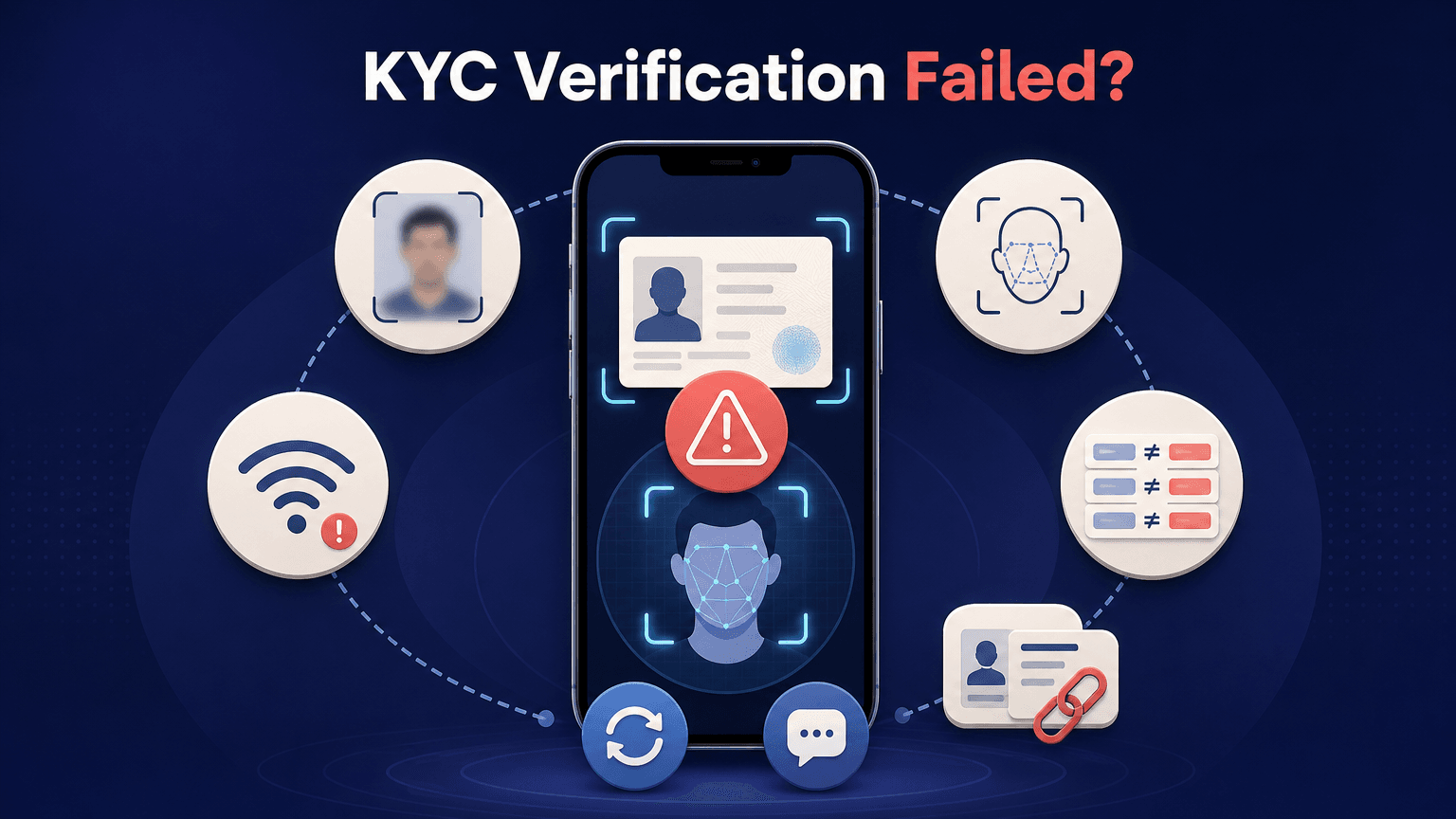
A failed verification means the submission did not pass the identity check, and there are four main reasons: the submitted information does not match the ID documents, the ID has already been used for another account, the uploaded photos do not meet the verification requirements, or the user is under 18. Other reasons can appear during the verification flow itself, such as an unclear or incomplete ID, a failed liveness check caused by poor lighting, an obscured face or a blurry camera, an unstable internet connection during the upload or liveness check, and the same document or face already being used by another account.
These reasons fall into two groups. Photo quality, lighting, camera focus, the connection and typing errors can be fixed by the user, and the instruction in that case is to make sure the documents meet the requirements and then re-upload them. A document that is already linked to another account, or an age below the minimum, cannot be fixed by retaking a photo, so those are cases for customer service. If the failure does not match any of these reasons, contact customer service.
How Do You Fix Unclear ID Photos and Document Problems?
An unclear or incomplete ID is one of the most common reasons on the list, and it is also one of the easiest to fix. The photo tips in WEEX’s quick guide to KYC verification are to use a high-quality camera and take clear pictures of the ID and the selfie, to confirm that the document is current and not expired, and to shoot in good lighting to avoid shadows or reflections. The whole document should be in the frame, so that no corner or edge is cut off, and the text should be readable.
Photos that meet these tips are less likely to be rejected for quality. The same guide says the selfie, or a photo of the holder with the same ID, confirms that the person is the account owner, so the document and the person in the photo must belong together. Only the owner’s own documents should be submitted. If a photo is blurred, dark or reflective, retaking it in better conditions and uploading it again is the right step.
How Do You Fix a Failed Liveness Check?
The liveness check asks for camera access and on-screen actions, and it is separate from the document photo. Poor lighting, a face that is partly covered and a blurry camera are the causes listed for a failed check. A bright, even light in front of the face, a clean camera lens and an uncovered face are the practical fixes, and moving to a different spot with better light often helps.
A weak connection can also break the process. The guides list an unstable internet connection as a cause of a failed upload or liveness check, so switching to a stronger Wi-Fi network or a better mobile signal before trying again is sensible. The web version of the flow is described in WEEX’s step-by-step guide for the website, and the app version, which starts from the nine-dot icon at the top left of the home screen, is in the guide for the app. After the liveness check, the submission goes to manual review.
What If the Details Do Not Match?
A mismatch between the submitted information and the ID document is a reason that can be fixed by the user. The form asks for the first name, last name, ID type and ID number, and each of them should be entered exactly as it appears on the document. If one field was mistyped or the wrong ID type was chosen, correcting it and submitting again is the way forward, after confirming that the documents meet the requirements.
Two reasons cannot be solved by retaking photos. A document or face already used by another account is another possible reason, and one document can only be linked to one account, so retaking a photo does not change which account it is tied to, and this is a case to raise with customer service. Being under 18 is also a possible reason, and a retry does not change it.
When Should You Contact WEEX Customer Service?
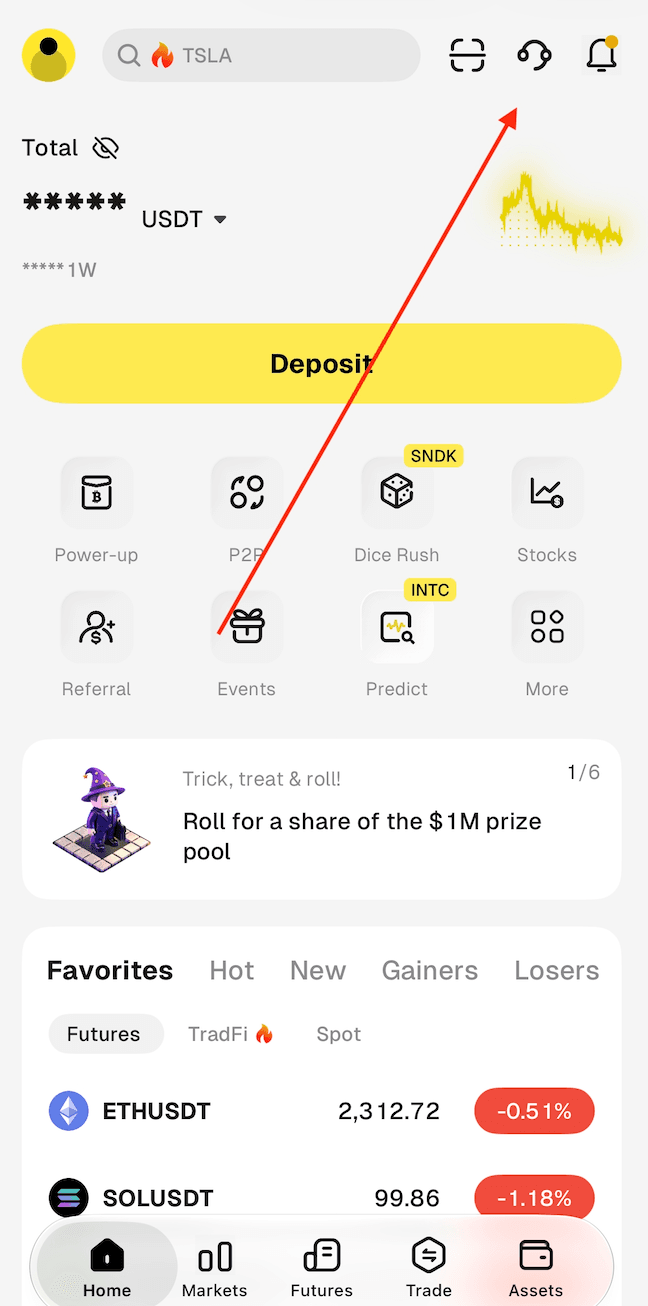
Contact customer service when none of the listed reasons fits, when the failure involves a document already linked to another account, or when the same result appears again after the photos, lighting, connection and details have been checked. In the WEEX app, the customer service entry is the headset icon at the top right of the Home screen.
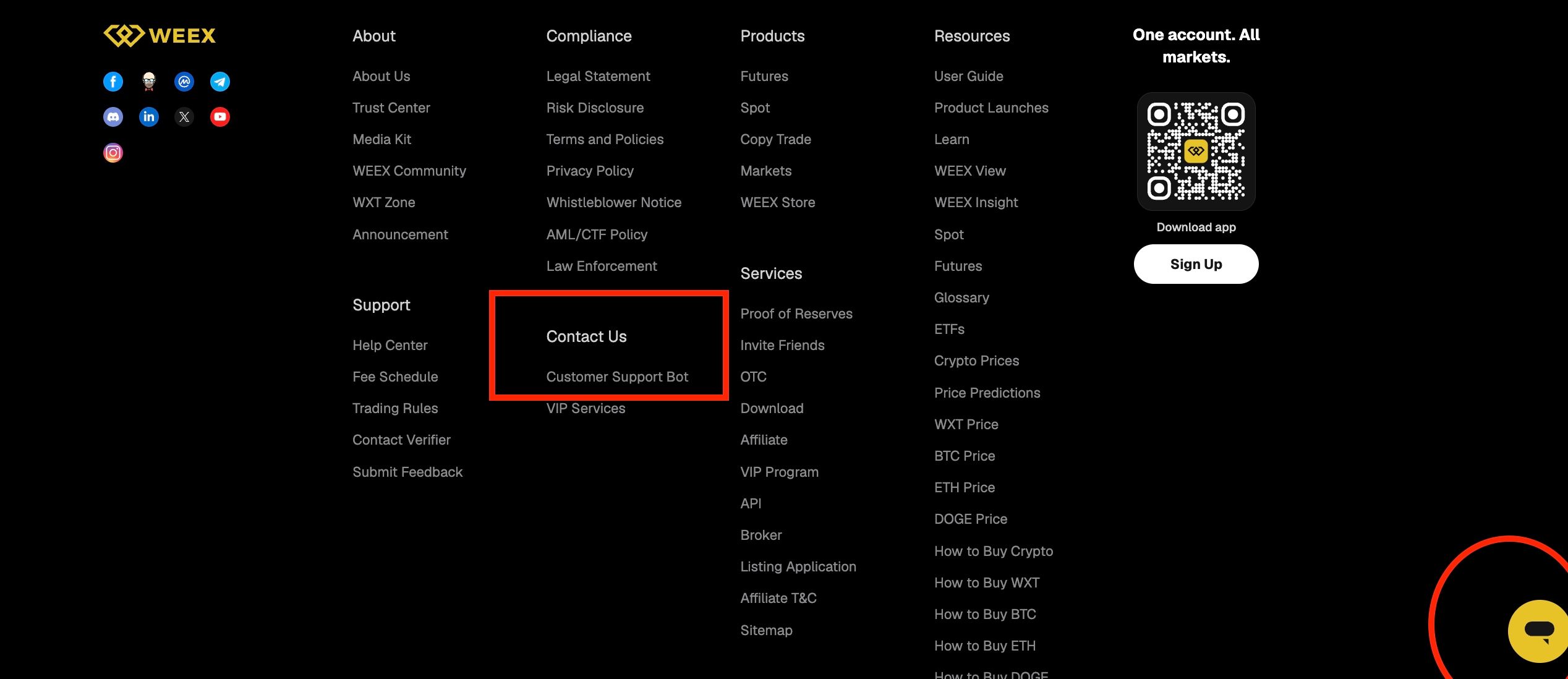
On the website, the footer has a Support section, and under Contact Us there is a Customer Support Bot link, and there is also a chat button at the bottom right corner of the page.
When writing to customer service, one of the UID, the phone number or the email address linked to the account is enough for WEEX to find the account. It also helps to describe what the failure message said, when it appeared and what has already been tried. Verification codes and passwords should never be shared with anyone, and WEEX official channel admins will never contact users privately to ask for personal, financial or account information or ask them to transfer funds.
Conclusion
When WEEX KYC verification fails, the first step is to work out which kind of cause it is. Unclear photos, lighting, camera focus, an unstable connection and mismatched details can be fixed by the user, who then makes sure the documents meet the requirements and uploads them again. A document already linked to another account, or an age below the minimum, needs customer service.
Matching the failure to its likely cause, instead of uploading the same files again, is the quickest way through. If none of the listed reasons fits, or the result repeats after the checks, use the customer service entry in the app or on the website with the UID, phone number or email ready. Keep verification codes and passwords private at every step.
FAQ
1. Why did my WEEX KYC verification fail?
The possible reasons are mismatched details, a document already used for another account, photos that do not meet the requirements, an unclear ID, a failed liveness check, an unstable connection or being under 18. Check which one fits, since WEEX KYC verification failed results do not all have the same fix.
2. Can I try again after WEEX KYC verification failed?
If the cause is photos, lighting, the connection or typed details, make sure the documents meet the requirements and upload them again. For other causes, contact customer service first.
3. What if my ID was already used for another account?
One document can only be linked to one account, and retaking a photo does not change that. Contact customer service and explain the situation.
4. What should I tell customer service?
Give your UID, phone number or email, and describe the failure message, when it appeared and what you tried. Never share a verification code or password.
5. Where can I find the KYC steps?
WEEX’s Help Center has step-by-step guides for the website and for the app, and a quick guide with photo tips. They cover the flow from the ID Verification section through the liveness check.

Gainers


