


WEEX Login Problems: What to Do When You Can’t Log In to Your Account
WEEX login problems can have several different causes, and the right fix depends on what happens at the login screen. A forgotten password, an account locked after repeated wrong attempts, a verification code that never arrives and an unavailable authenticator all look like a failed login, but each has its own way forward.
The quickest route through WEEX login problems is to sort them by cause before trying anything, since the steps for one case do not help in another. Because some WEEX login problems involve identity checks, those steps should only be handled through official channels.
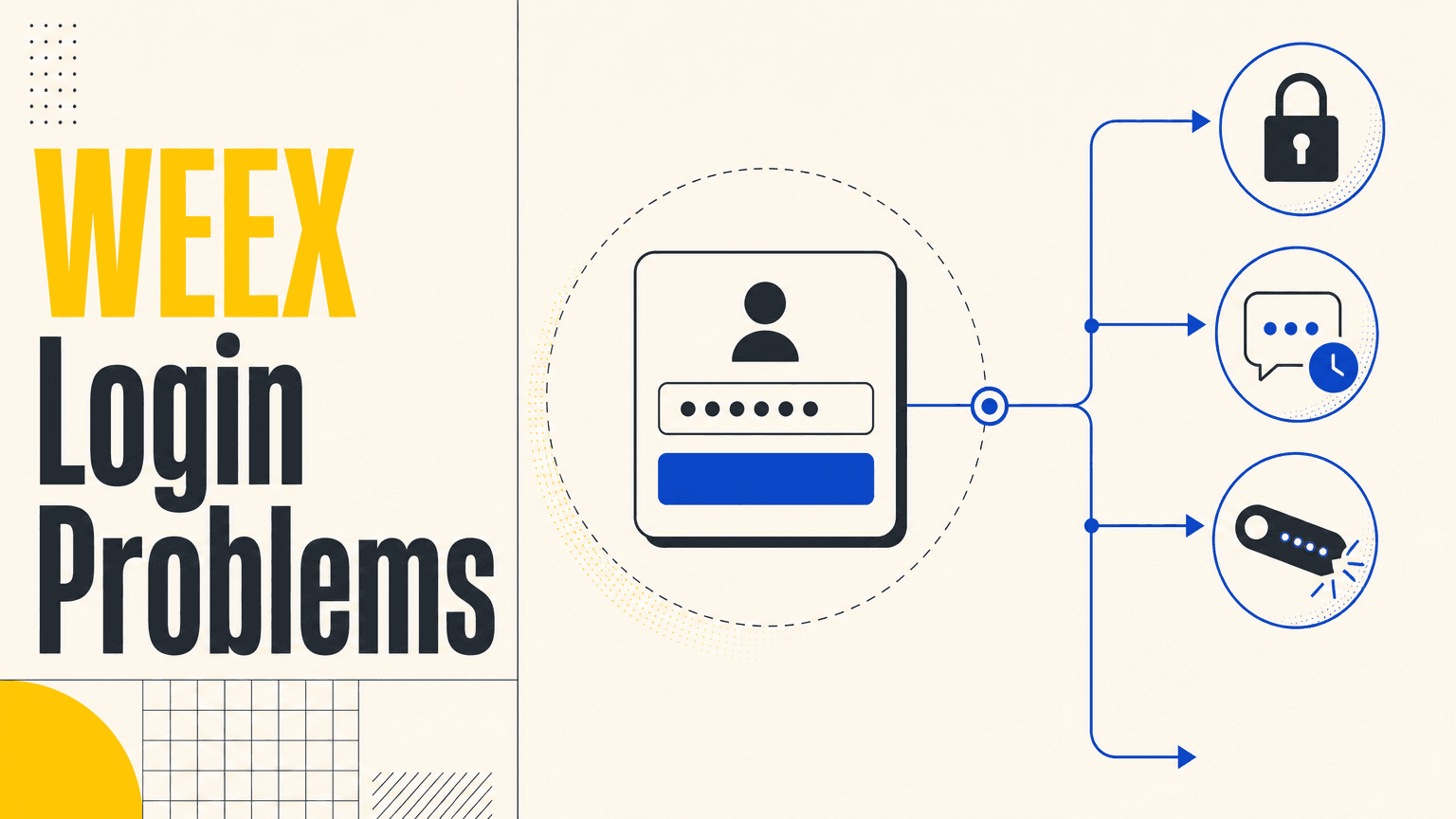
What Kind of WEEX Login Problem Are You Facing?
Most cases fit one of five situations. The password may be forgotten or mistyped, the account may be locked after multiple incorrect password attempts, the verification code may not arrive by SMS or email, the code from an authenticator app may be unavailable, or the account may show login activity that is not recognized. What the screen shows, and what happens after the password is entered, points to the right one.
Matching the problem to the situation matters because the fixes sit in different places. A forgotten password is reset by email, a locked account needs customer service, a missing code has its own checklist of phone and inbox checks, and an unavailable authenticator needs a separate reset request. The sections below take them in that order, from the most common to the least.
Before trying any fix, check that the page is the official WEEX website at www.weex.com, which can be confirmed on WEEX’s official verification page, since a look-alike page can cause a login to fail or collect account details.
How Do You Reset a Forgotten WEEX Password?
A forgotten password is reset from the login page by email, and WEEX’s guide to resetting a password or recovering an account walks through it on the website. On the official site, click Login, then click Forgot Password below the login fields and enter the account email, checking that it is typed correctly. WEEX then sends a reset email, so the inbox should be checked, along with the spam or junk folder if it does not appear.
Clicking the link in the email opens the page for a new password, which should mix letters, numbers and special characters and be entered twice to confirm. After signing in with the new password, turning on two-factor authentication adds a mobile-generated code requirement, which gives the account an extra layer of protection. If the reset email does not arrive, the same inbox and spam checks apply, and the email address entered should be the one the account was registered with.
What If the Account Is Locked After Too Many Wrong Passwords?
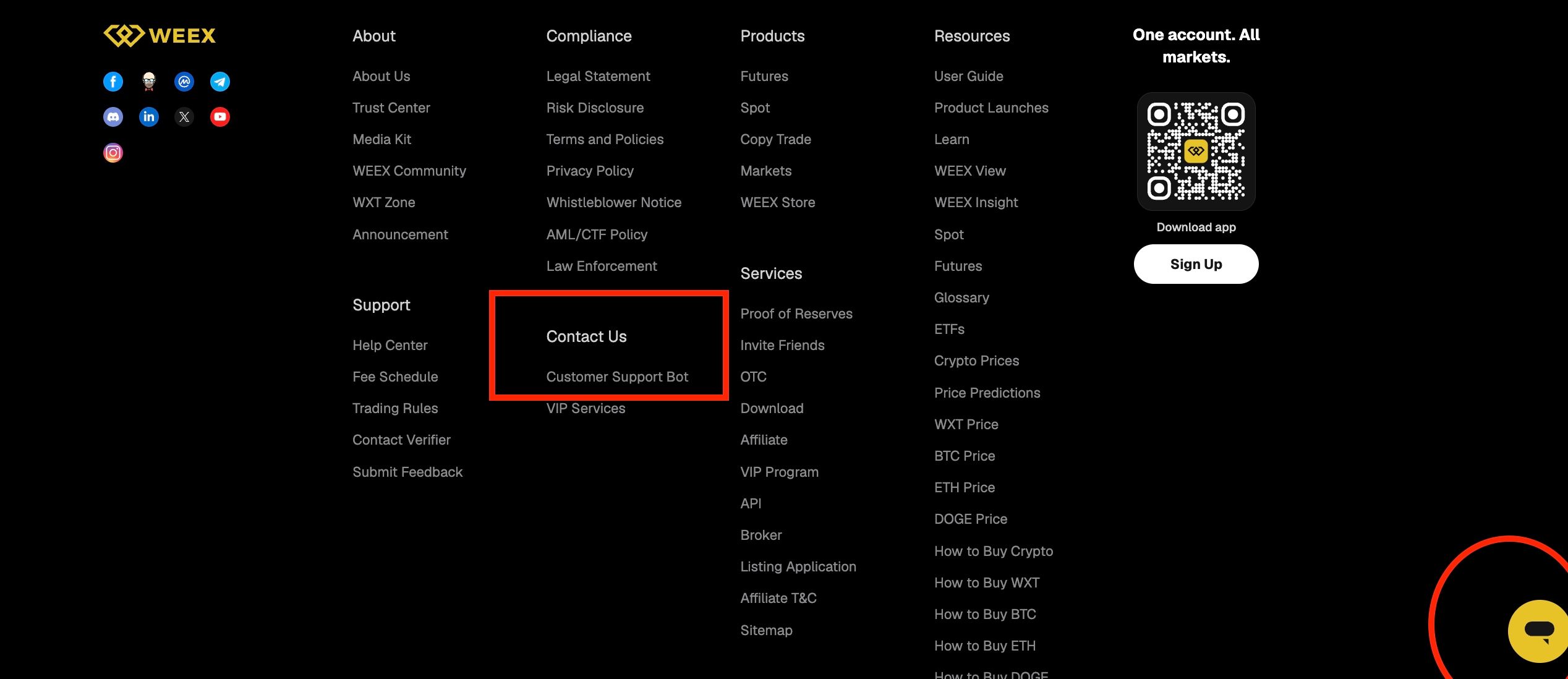
An account can be locked after multiple incorrect password attempts, and a locked account is unlocked through customer service and not through the password reset page. The customer service at the bottom right of the WEEX website can be used for this, and giving the User ID, known as the UID, in the chat connects the user to a live agent. The WEEX app has its own customer service entry, described in the last section.
To unlock the account, WEEX asks for one identifier, which can be the UID, the phone number or the email address, together with a photo of the ID card with a handwritten note. The note states the date of the request, the account holder’s name, the UID and that the holder wants to unfreeze the account. This is sensitive information, so it should only be sent through WEEX’s official customer service channels. WEEX official channel admins will never contact users privately to request personal, financial or account information, so anyone who does should be treated as a possible impersonation.
What If the Verification Code Does Not Arrive?
A code that does not arrive is one of the most frequent WEEX login problems, and the fix depends on whether the code is sent by SMS or by email. The separate checks for each, such as signal and blocking settings for SMS and the inbox and spam folders for email, are set out in WEEX’s guide to what to do when a verification code is not received, so they are not repeated here. If the checks do not help, customer service is the next step.
When the problem is an unavailable authenticator, the Google Authenticator has to be reset, and this requires completing KYC verification first. On the website, click the avatar icon at the top right, open Security, choose the option to deactivate in the Google Authenticator Code section and enter the codes from all linked verification methods. In the app, tap the nine-dot icon at the top left of the Home screen, open Security and then Google Authentication, choose the option for unavailable verification methods to request unlinking, enter the codes from the linked methods and submit the requested information. App requests are reviewed, which takes one working day. Applying for any change to a verification method disables withdrawals for 24 hours, so the timing is worth planning around. If KYC cannot be completed or there are special circumstances, customer service can help.
How Do You Check for Unfamiliar Logins and Reach Customer Service?
Login history shows where the account has been accessed, and it is the first place to look when something seems wrong. After logging in, tap the icon at the top left, then Security and then Login history, where the login records are listed and help to monitor account activity. If a device that is not recognized appears, contact customer service immediately.
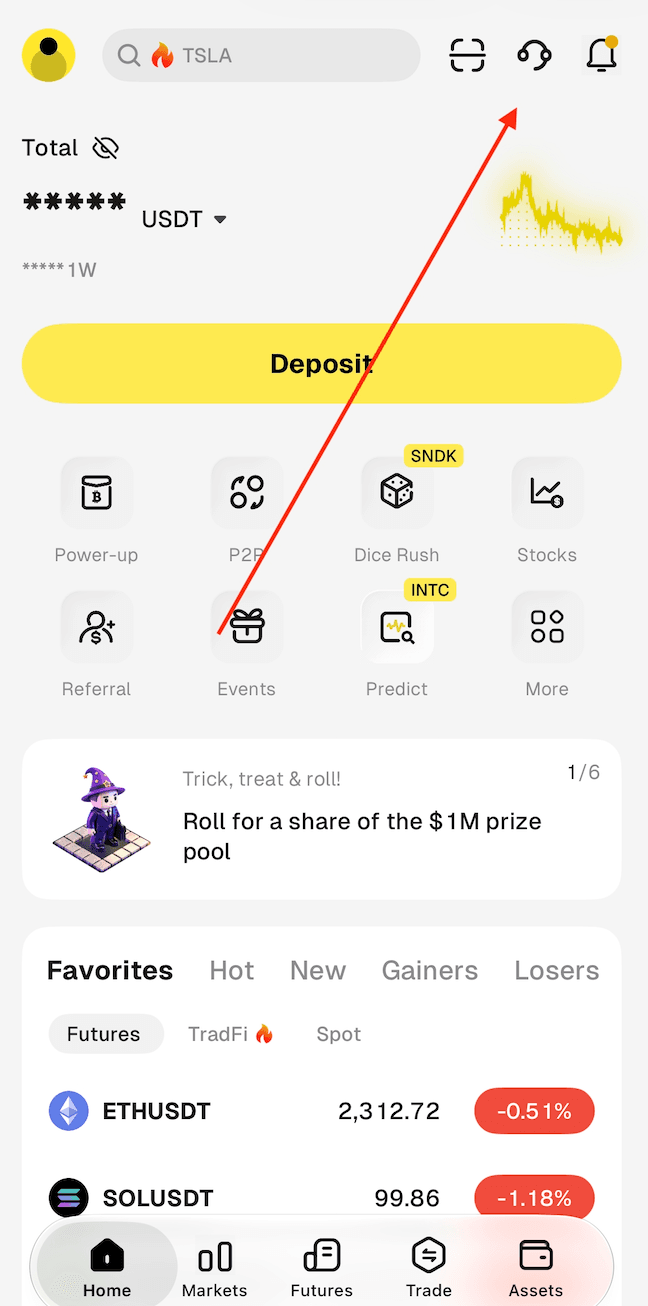
In the WEEX app, the customer service entry is the headset icon at the top right of the Home screen, next to the scan and notification icons. On the WEEX website, the footer has a Support section, and under Contact Us there is a Customer Support Bot link, and there is also a chat button at the bottom right corner of the page. When writing in, give one of the UID, the phone number or the email address, and describe what happens at the login screen, when it started and what has already been tried. A password or a verification code should never be shared with anyone, including in a chat that starts with someone else.
Conclusion
WEEX login problems are easiest to solve when sorted by cause. A forgotten password is reset by email, an account locked after multiple wrong attempts needs customer service and an identity check, a missing verification code has its own checks, and an unavailable authenticator needs a reset request that requires KYC to be completed first.
Login history is a useful habit for spotting activity that is not recognized, and customer service is the route for anything that self-service cannot fix. Keep passwords and verification codes private throughout, and use only official WEEX channels for identity checks and account recovery.
FAQ
1. Why can’t I log in to my WEEX account?
Common reasons are a forgotten password, an account locked after multiple incorrect password attempts, a verification code that does not arrive and an unavailable authenticator. Matching the problem to the case is the quickest way to fix WEEX login problems.
2. How do I reset my WEEX password?
On the official website, click Login and then Forgot Password, enter the account email and follow the link in the reset email. Check the spam folder if the email does not arrive.
3. What should I do if my WEEX account is locked after wrong passwords?
Contact customer service, for example through the AI customer service at the bottom right of the website, and provide the UID, phone number or email. An ID photo with a handwritten note may be needed to unlock the account.
4. What happens to withdrawals if I change a verification method?
Applying for a change to a verification method disables withdrawals for 24 hours. Plan any withdrawals around that.
5. How can I check for unfamiliar logins on my WEEX account?
After logging in, tap the icon at the top left, then Security and Login history. If an unrecognized device appears, contact customer service immediately.

Gainers


